Snake Path Puzzle
695 זמני משחק
בקרות משחק
Interact
Fullscreen (page)
פרטי המשחק
על מה Snake Path Puzzle?
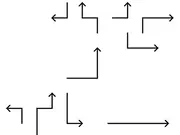
פרום את הסבך הגיאומטרי האולטימטיבי ב-Snake Path, חווית פאזל מינימליסטית המשלבת רגיעה עם אסטרטגיה מאתגרת למוח. המשימה שלך פשוטה: הנח כל בלוק דמוי נחש אל מחוץ לרשת. הקש על נחש כדי להתחיל את מסעו, אך שים לב לזנב! מהלך שגוי אחד ותיצור פקק צבעוני. הצלחה דורשת יותר מסתם מהירות שכן היא דורשת את הרצף המושלם. שחק משחקים ב-Y8 - פלטפורמת המשחקים המודרנית הגדולה ביותר ב-HTML5!
איזה סוג של משחק הוא Snake Path Puzzle?
This sounds like a classic web compatibility nightmare. Given that it works on newer devices and fails silently on an old one, your theories about JavaScript, cookies, or TLS are all very plausible.
Here's a breakdown and some further suggestions, particularly focusing on the debugging aspect which is key here:
Regarding your Theories & General Considerations:
Unsupported JavaScript feature (Most Likely): This is indeed the prime suspect. Auth0's Universal Login pages, especially the modern ones, heavily rely on modern JavaScript. iOS 8's Safari (and its underlying WebView) is based on Safari 8, which has significantly weaker JavaScript support compared to modern browsers.
- Promises: Safari 8 does not natively support Promises. If Auth0's login form submission uses
fetchorasync/await(which implicitly use Promises), it would fail silently or behave unexpectedly. - ES6+ features: Many other ES6 features (like arrow functions,
let/const, classes, template literals) might not be fully supported or have buggy implementations. - Polyfills: Auth0 might include some polyfills, but they can't cover every possible gap, and sometimes polyfills themselves can break in very old environments.
- Promises: Safari 8 does not natively support Promises. If Auth0's login form submission uses
Cookie-related issue: Less likely to be the primary cause of the "Sign In" button doing nothing, but could contribute to later failures or session establishment problems.
SameSitewas indeed not an issue at this age. However, other stricter cookie policies (e.g., regardingHttpOnly,Secureflags, or even just cookie size/path issues) could manifest strangely. But again, a silent button click usually points to JS.TLS/Cipher Suite compatibility: While possible, this typically results in a clear error message (e.g., "Cannot establish a secure connection" or "Safari cannot open the page"). The fact that the page loads but the button doesn't work points away from this being the initial failure point, though it could be a secondary issue if, for example, a JS script tries to make a sub-request over an unsupported TLS version.
Content Security Policy (CSP) issue: Similar to TLS, CSP issues usually block resource loading or script execution, and often log errors to the console. The page loading and rendering implies the basic CSP is fine, but a very specific directive could interfere with form submission scripts. Still, JS incompatibility is more common for this behavior.
Addressing Your Questions:
Similar issues with Auth0 Universal Login on very old iOS versions? Yes, this is a very common problem across many modern web applications trying to support extremely old browsers/devices. The consensus is often that it's simply not feasible to support iOS 8/9 due to the massive leap in web standards and security features since then. Auth0's own Universal Login is designed to be modern and secure, and maintaining compatibility with very old, insecure platforms is a huge challenge.
Known specific JavaScript compatibility issues with iOS 8/9 WebViews? Absolutely. As mentioned, lack of Promises, many ES6+ features, and potentially older DOM APIs or event handling models. WebKit in iOS 8 is very dated. Modern Auth0 Universal Login often uses React or other modern frameworks, which compile down to JS that might not be compatible with such old environments without extensive polyfilling (which Auth0 may not prioritize for these ancient versions).
Specific Auth0 tenant settings beyond "Legacy" support?
- "Legacy" support: The options under "Advanced > Migrations" (like "Enable third-party cookie support") are generally for slightly older browsers or specific integrations, not necessarily for ancient OS versions lacking fundamental JS capabilities.
- Custom Login Pages: If you're using a custom login page (not the Universal Login page), you'd have more control over the JavaScript and could potentially use very old, compatible JS libraries or vanilla JS that avoids modern features. However, for Universal Login, you are largely at the mercy of Auth0's hosted page.
- Classic vs. New Universal Login: If your tenant is very old, it might still have the option to use the "Classic" Universal Login experience. This might use older JS, but it's generally not recommended as Auth0 is pushing everyone to the newer experience. Most tenants created recently default to the new experience. You can check under "Branding > Universal Login" if you have a "Migrate to the new experience" banner or similar. If you do have the option for Classic, it's a long shot but might work.
Debugging the WebView's JavaScript console on an iOS 8.1.3 device from a Mac?
This is your most crucial step.
* ASWebAuthenticationSession vs. UIWebView/WKWebView:
ASWebAuthenticationSession is designed for secure authentication flows and usually means the system-provided SafariViewController or external Safari.
Debugging a system-provided browser instance (like what ASWebAuthenticationSession uses) can be tricky.
If you are using a pure UIWebView (which would be necessary for iOS 8, as WKWebView was introduced in iOS 8 but didn't become robust until later, and SFSafariViewController requires iOS 9), then debugging should theoretically work.
* Steps to Debug (assuming you can connect):
1. Enable Web Inspector on the iOS device:
* Go to Settings > Safari > Advanced.
* Toggle Web Inspector to ON.
2. Connect the iOS device to your Mac via USB.
3. Open Safari on your Mac.
4. Go to Develop menu in Safari (on Mac):
* If the Develop menu isn't visible, enable it in Safari > Preferences > Advanced > Show Develop menu in menu bar.
* Under the Develop menu, you should see your connected iPhone.
* Hover over your iPhone, and you should see a list of open web views/tabs. Select the one corresponding to your Auth0 login page.
5. This will open Safari's Web Inspector for that specific web view. You'll have access to:
* Console: Look for JavaScript errors (e.g., "ReferenceError: Promise is not defined", "SyntaxError: Invalid or unexpected token"). These are critical clues.
* Network: See if any form submission requests are even being attempted.
* Elements: Inspect the form elements and their event listeners.
* Sources: You might be able to set breakpoints, though this can be finicky on older devices.
* Potential Challenges with iOS 8.1.3:
* Xcode/Safari Compatibility: Very old iOS versions might have debugging limitations with newer Xcode/Safari versions on your Mac. Ensure your Mac's Safari is not too new, though Apple usually tries to maintain backward compatibility.
* ASWebAuthenticationSession vs. direct embedding: If ASWebAuthenticationSession opens a Safari instance, you might see it under the Develop menu directly. If you're talking about an embedded UIWebView, it should also appear. The key is to have the web content actually loaded and visible on the device screen when you check the Develop menu.
* Application-Specific: If the web view is embedded within your app and not directly controlled by Safari, sometimes you might need to build a debug version of your app and launch it from Xcode to get the debugger attached correctly.
Strongest Recommendation:
- GET THAT DEBUGGER ATTACHED! This is non-negotiable. Without it, you are truly guessing. The Console will tell you exactly which JavaScript error is stopping the form submission.
- If debugging reveals JS errors related to modern features (like
Promise):- Your options are limited:
- Drop support for iOS 8/9: This is often the pragmatic solution for older OS versions that lack fundamental modern web capabilities. Announce the minimum supported OS version.
- Custom Login Page (if possible): If Auth0 allows (e.g., for enterprise tenants or specific plans), you could host your own login page with extremely basic, ES5-compatible JavaScript for form submission. This is a lot of work and potentially compromises security if not done perfectly.
- Reach out to Auth0 Support: Explain the specific JS errors you find. They might have an "ultra-legacy" compatibility mode or suggestions, but don't hold your breath for extensive support of such old, insecure platforms.
- Your options are limited:
- Check for alternative authentication flows: Could you use a native authentication flow (if Auth0's SDK supports it for such old iOS versions) instead of relying on the web view for email/password?
Given the silent failure, my money is firmly on a JavaScript incompatibility. Debugging will confirm this. Good luck!
What’s the main goal in Snake Path Puzzle?
המטרה העיקרית ב"חידת נתיב הנחש" היא להנחות כל בלוק בצורת נחש מחוץ לרשת על ידי הזזתם בסדר הנכון. כל נחש יכול לנוע רק בקו ישר, וברגע שהוא מתחיל לנוע, הוא ממשיך עד שהוא יוצא מהרשת או נחסם.
מה הופך את Snake Path Puzzle למהנה?
He leʻaleʻa ia no ka mea kaulike ia i ka hoʻomaha me ka hoʻoponopono pilikia, e hāʻawi ana iā ʻoe i kēlā manawa "Aha!" i kou wehe ʻana i kahi pae paʻakikī.
האם ניתן לשחק בSnake Path Puzzle במובייל?
Yes, Snake Path Puzzle can be played on mobile devices as well as on desktop computers. It runs directly in the browser and does not require any downloads.
האם אפשר לשחק בSnake Path Puzzle בחינם?
כן, Snake Path Puzzle זמין בY8 בחינם וניתן לשחק בו ישירות בדפדפן.
באילו משחקים אפשר לשחק כעת?
גלו עוד משחקים במדור משחקי HTML5 שלנו וגלו משחקים פופולריים כמו The Coronavirus, Build Castle 3D, Mahjong Jungle World ו-Thrifting Adventure - הכל זמין למשחק מיידי ב-Y8 Games.
תגובות


-

Zombie Monster Truck
-
Vex X3M 3
-
Monster Truck Racing Game Truck Race
-
One Shot Duel: Snipe & Hide
-
Stickman Dismount Simulator
-
Marble Frog: Jungle Ball Blast
-
Draw Logic Puzzle
-
Coral Maze Diver
-
Cut Tower 3D
-
Ice Cream Sort
-
Nebula Blaster
-
Pop Fruit
-
Detonator
-
Math Adding
-
Battle Chess
-
Who Wants One Million?
-
Connect 4
-
Crossword
-
Prison Break
-
Chasm
-
Plumber 2
-
Cups
-
The Car
-
Deal or No Deal