Gravity Control WebGL
4,560 זמני משחק


פרטי המשחק
על מה Gravity Control WebGL?
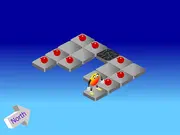
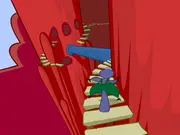
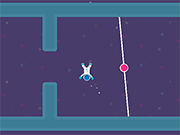
Guide the player to the wormhole that brings you to the next level. There are 60 levels to overcome. Each level challenges the player differently, some are more action-focused whereas other levels will need the player to use their brain.
Be surprised by obstacles that are needed to be avoided, like moving spikes and rotating lasers. By changing the direction of the gravity not only the player but also crates will move in the gravity direction. Some crates will operate the open and closing of nearby doors or turning the lasers on and off.
The stages will become more challenging the further you progress. How well the player is handling the floaty astronaut will determine if you don’t crash into an obstacle. In later levels switching triggers on and off will require more thinking because the number of blocks will increase.
האם ניתן לשחק בGravity Control WebGL במובייל?
No, Gravity Control WebGL is designed for desktop play and works best on computers using a keyboard or mouse.
האם אפשר לשחק בGravity Control WebGL בחינם?
כן, Gravity Control WebGL זמין בY8 בחינם וניתן לשחק בו ישירות בדפדפן.
האם ניתן לשחק בGravity Control WebGL במצב מסך מלא?
כן, ניתן לשחק בGravity Control WebGL במסך מלא כדי לקבל חוויה אימרסיבית יותר.
קטגוריה:
משחקי חשיבה
הוסף ב
30 נובמבר 2019
תגובות